# Testing login credentials for Microsoft Accounts
Microsoft accounts are a single identity used to authenticate to many different services, such as the Microsoft 365 portal, Teams, Office apps, Email, Computer logins etc...
#### **Confirming credentials**
This will:
- Confirm username/password combination is correct.
- Confirm Multi Factor Authentication methods are working.
#### **Process**
Browse to the Microsoft 365 user portal
- [https://m365.cloud.microsoft.com/](https://m365.cloud.microsoft.com/)
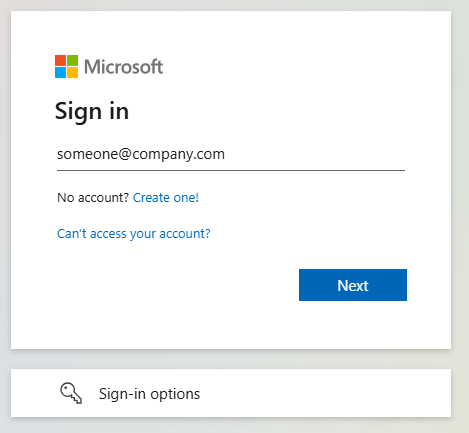
Log in with your username and password combination, this will be formatted as an **email address** and **password**.
[](https://wiki.safetynet-it.com/uploads/images/gallery/2025-05/x6xHOxlkjdZ45Mq3-image.png)
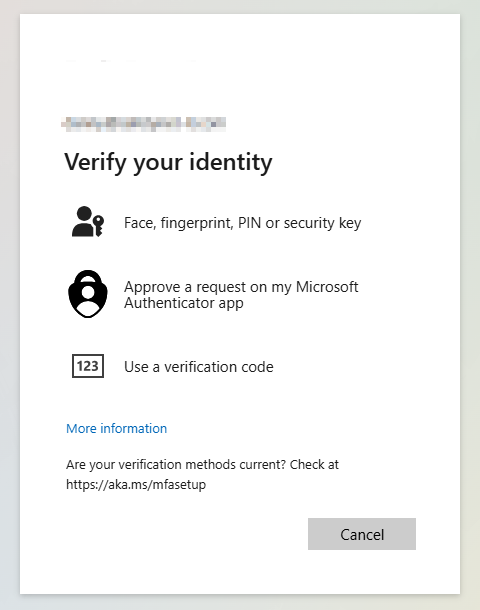
Pass any **Multi-Factor Authentication** prompts that appear.
[](https://wiki.safetynet-it.com/uploads/images/gallery/2025-05/mTuDBflRbMaGFZR0-image.png)
You should now be successfully signed into your Microsoft account in the Microsoft 365 Portal.
**If you cannot log in**
- Are not sure of your username or password
- Could not pass Multi-Factor Authentication
**Please raise a ticket to us** via our help desk:
- ****
- **+44 333 305 8224**